
The Central Control Point for All Your Services
Welcome to the Peacro Portal. Access your single unified operational browser dashboard to securely manage business billings, check transaction histories, review support desk requests, and organize active network subscriptions.
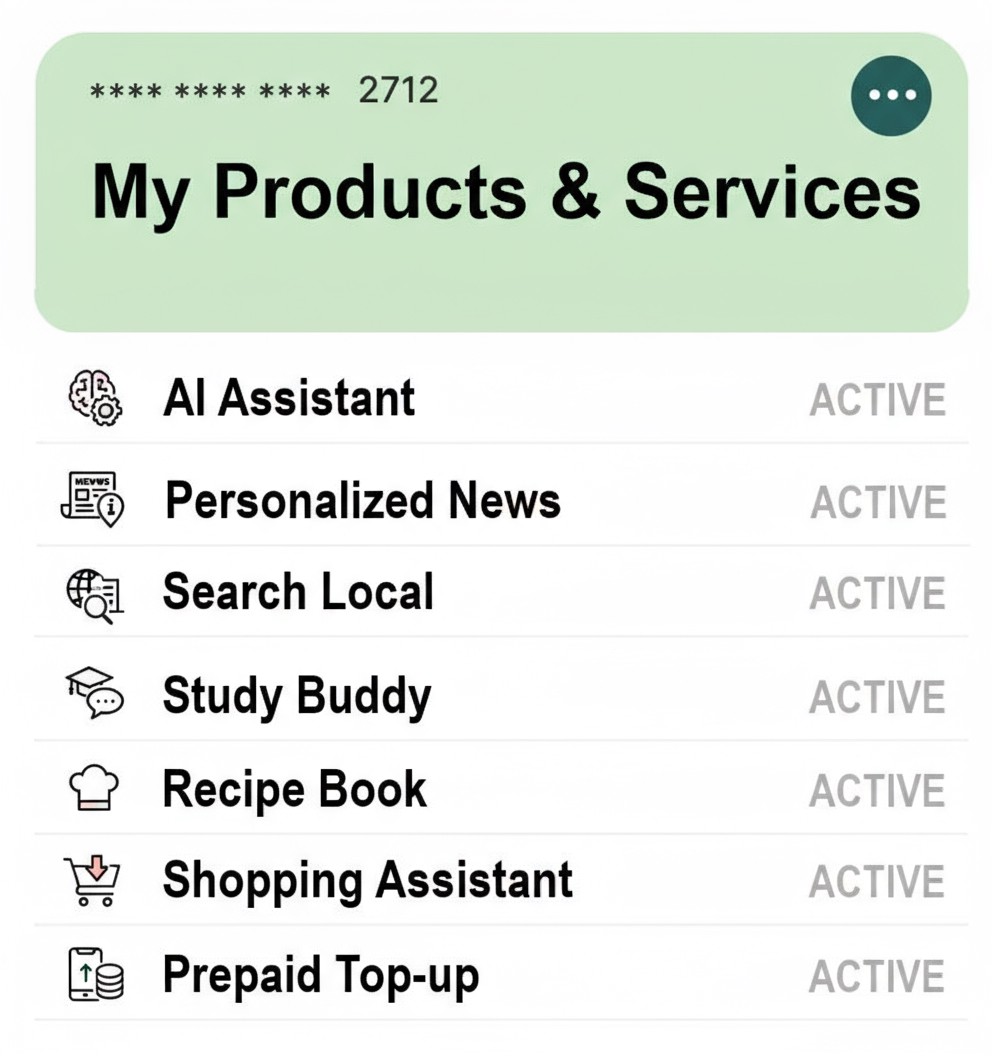

A Single Screen for Your Entire Digital World
"Ecosystem management means avoiding fragmented dashboards. We compiled your entire operational scope into one workspace screen."
The Peacro Portal serves as the administrative core for individuals, households, and corporate clients alike. By unifying backend billing tables, active support tickets, and live utility service allotments under a secure central layout, you gain complete traceability. Review invoices, check bandwidth, launch technical dispatches, or manage payment profiles from any web browser.

The Central Control Pillars
Peacro Portal removes platform fragmentation completely. Our unified control design integrates separate backend tasks into a high-visibility management cockpit.
The Portal System Standard
Unified Billing Core
Review institutional invoices, track past recharge allocations, download formal statements, and settle outstanding balances easily.
Live Support Desk
Initialize technical helpdesk tickets, monitor real-time triage tracking parameters, and coordinate active engineering dispatch logs directly.
Active Service Configs
Adjust network allocation parameters, update custom email mappings, check cloud server storage metrics, or view streaming statistics.
Identity & Auth Matrix
Manage account profile security limits, update authorized workspace keys, configure two-factor loops, and clear login access lists safely.
Telemetry Readouts
Track bandwidth quotas, visualize processing response intervals, view active user counts, and analyze system data usage metrics logs.
Central File Vault
Access official technical scripts, check licensing tokens, download backup directories, and store configuration data records securely.
Four Steps to Workspace Control
We keep entry frictionless. Initialize your workspace dashboard securely using your mobile identity key configuration.

Launch the Endpoint
Direct your browser path straight to `https://wifi.peacro.com/` or click the entry link tokens across the main navigation options.

Verify Mobile Identity
Input your verified system account number. Our secure authentication script pushes an validation check token alert straight to your screen.
Populate Dashboard
The core database session script parses permissions, immediately populating active services, bill tracking metrics, and data charts.
Manage Anywhere
Gain total digital oversight. Process open invoices, submit high-priority support tickets, or configure service settings with complete security.
0 Screen
Unified Operations Hub
Total Ecosystem Management ConvergenceAES-0
Data Session Security
Bank-Grade End-to-End Encryption Matrices0%
Mobile Adaptive Performance
Fluid Layout Execution on Any Device ScreenEliminating Administrative Friction
Discover how centralizing account analytics, automated billing systems, and service toggles streamlines day-to-day digital management.
Unified Invoice Resolution
Tracking individual software licenses, connectivity invoices, and hosting container costs across separate web portals creates chaotic accounting records. Peacro Portal groups your entire transactional history into a clean ledger, enabling single-click balance updates.
Helpdesk Lifecycle Monitoring
When unexpected engineering bottlenecks emerge, filing support updates over standard email chains delays visibility. The Portal workspace logs issue parameters precisely, displaying real-time technician assignments, diagnostic comments, and resolution states.
Dynamic Resource Toggles
Managing operational data configurations should be fluid. From our terminal layout panel, corporate operators can seamlessly scaling up server limits, add new business emails box domains, modify streaming bitrates, or track active usage profiles.
Ecosystem Workspace Sentiment
See how corporate administrators and individual clients utilize our unified dashboard console to simplify active tech oversight.
“ Consolidating our satellite link quotas, web hosting containers, and technician billing items into one browser screen completely optimized our internal bookkeeping records. Total administrative clarity. ”

“ Logging active helpdesk issues inside the portal dashboard is exceptionally smooth. We can track tech cell updates, review diagnostic metrics, and push confirmations straight from our mobile screens. ”

“ Tweaking cloud storage structures or viewing bandwidth traffic telemetry metrics charts directly through the configuration matrix saves our development team hours of manual script checks every week. ”

Standard Platform Provisioning
We believe workspace control is a base requirement. Access your core management account metrics with total transparency.
Ecosystem Client Workspace
Automatically bundled for all active individual, household, and institutional account layers. Access tracking tools and billing grids safely.
- Unified Billing Matrix: Clear traceability of all invoices.
- Helpdesk Ticket Control: Open and track support requests.
- Resource Configuration Toggles: Manage system parameters.
- Live Telemetry Charts: Track real-time bandwidth and data.
Got Questions? We Have Answers.
Learn about browser accessibility requirements, validation token controls, and ledger formats.
Connect with Dashboard Support
Encountering an access validation error, an invoice sync discrepancy, or missing a specific product module link? Drop our systems desk a message below.
Nyanga, Zimbabwe
Reg No: 83504A0322026
TIN: 2002422675
PRAZ Reg: PR2643651036
Incorporated & Compliant under the Laws of Zimbabwe.